Android 教學 Delphi to Android

 |
相逢自是有緣,也許是孽緣
以下內容,若對你有幫助,買個罐頭餵餵街貓吧~ |
|
更新日期
2015/01/13 | |
|
安裝開發環境
安裝JDK,Eclipse,參考旗標,Android App程式設計教本 | |
|
安裝android的開發工具
手動組裝,可分成8個步驟.懶的話可以直接下載ADT bundle,解開就可以使用了.因為網站一直改,記得備份你所下載到的版本. |
|
eclipse是廚房.ADT是廚具,像菜刀,鍋子,瓦斯爐.SDK manager是冰箱. SDK是菜頭玉米. | |
|
(1)下載並安裝JAVA
eclipse是跑JAVA的 | |
|
(2)下載eclipse.zip
eclipse只是個編輯器.有分32/64位元兩個版本.下載時要注意. | |
|
(3)下載ADT.zip
eclipse安裝ADT,改造成可以編android的編輯器.保存好adt.zip.有時新版ADT有新的bug.例如22.6.2不能編API 7/android 2.1的APP | |
|
(4)下載並解開android SDK Tools only
eclipse掛上android的SDK,才能編出APK執行檔.SDK tool約100M, SDK bundle約500M.下載SDK tool後再手動下載所需要的套件模組 | |
|
ADT與SDK的版本要一致.目前建議用SDK21配ADT21.1.0 | |
|
android SDK 21
| |
|
ADT 21.1.0
| |
|
adb_usb_driver
從C:\sdk\extras\google抓出來的.若抓不到手機,要把手機的vid加到C:\Documents and Settings\Administrator\.android\adb_usb.ini | |
|
(5)SDK manager下載module
因為目標是build API 7.android 2.1,要安裝android SDK Tools 22.62, Android SDK Platform-tools 19.0.1,Android SDK buld-tools 19.0.3,Android 2.1(API7) All,google USB Driver | |
|
(6)解開執行eclipse
保存好eclipse.zip,eclipse進版很快,也許下一次下載,又有新的相容性問題. | |
|
(7)eclipse安裝ADT
| |
|
(8)eclipse設定連結Android SDK
| |
|
Hello world
參考書本,在手機上跑第一支helloworld |
|
模擬器AVD
android virtual device | |
|
adb.exe
位於sdk\platform-tools. adb devices, push, install | |
|
ADB driver for windows
| |
|
設定app跑手機而非模擬機 MainActivity.java run/run configurations/Target/Always prompt to pic device | |
|
快速鍵
ctrl+shift+o自動補import | |
|
alt+/ toggle 註解// | |
|
tab, shitt+ tab 增/減縮排 | |
|
(1)快速上手button,toast
button, toast, src/MainActivity.java與res/layout/activity_main.xml |
|
(2)快速上手edittext
button, editbox, toast |
|
debug
adb logcat, DDMS |
|
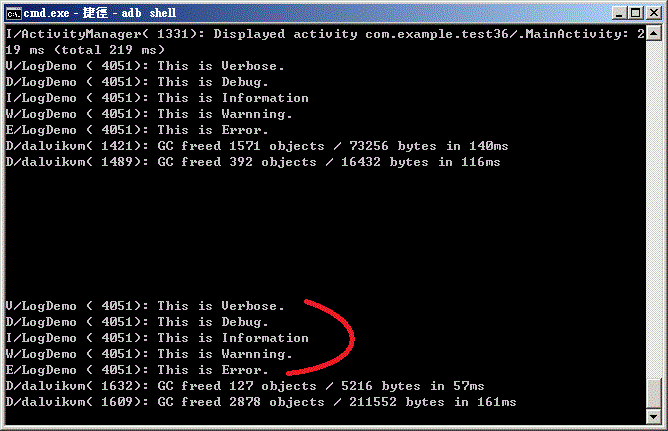
logcat
adb logcat | |
|
(3)變數
int, string, random, int to string, string to int |
|
byte,char與C大不同
java.byte -128 ~ 127, java.char 0 ~ 65535, java.byte=s8, java.char=u16 | |
|
Java沒有指標
s1=(short) ((short)(buffer[i1*2]&0xff) | (((short)(buffer[i1*2 +1]&0xff)) << 8 ) ); | |
|
比較字串
if (st01.compareTo("s") == 0) | |
|
(5)快速上手textview
button, textview |
|
(6)條件迴圈
if, else, while, for |
|
(7)快速上手imageview
imageview |
|
結束程式
android.os.Process.killProcess(android.os.Process.myPid()); |
|
(8)快速上手text file
text file write(FileWriter) / read(FileWriter,BufferedReader) |
|
(9)快速上手bin file
bin file write(FileOutputStream,ByteArrayOutputStream) / read(FileInputStream) |
|
(10)快速上手message
message |
|
(11)快速上手timer
message, timer |
|
(12)快速上手tcpip client
tcpip message |
|
(13)快速上手錄音與播音
mic in and speaker out |
|
(14)快速上手camera
camera on, tack picture |
|
(15)快速上手touch test
full screen, switch...case, 第二指關閉程式. |
|
(16)scroll text, list sensor
scroll text, list sensor |
|
(17)震動器
vibrater |
 |
(18)OpenGL demo
附件整個貼上即可 |
|
OpenGL教學網
很專業的網站 | |
|
(19)多執行緒multi thread
用多執行緒對Textview做漸增的數字 | |
|
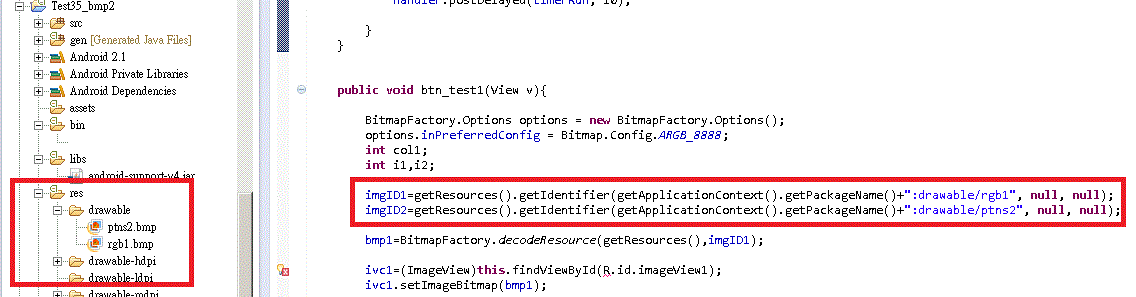
(20)APK with BMP
apk內包bmp file的example.如此install apk時bmp檔也ready了. |
|
| |
|
程式圖示
change icon |
|
多頁程式
Intent |
|
播MP3,調整音量
play mp3, volume |
|
播影片
play movie |
|
udp client
udp client |
|
加速度感測器
|
|
讓螢幕不進入休眠狀態
|
|
show bmp file
show bmp file |
|
|
|
2025/09/08 13:06 v14 |